If you are new to Fiverr, your gig is your shop window. It is the first thing a buyer sees before they decide to hire you or scroll past. A well-made gig can bring in orders every week. A rushed one can sit with zero views for months.
In this guide, we will walk through the exact steps to create a gig on Fiverr, including how to write a gig description that converts and how to design a gig image that actually gets clicks.
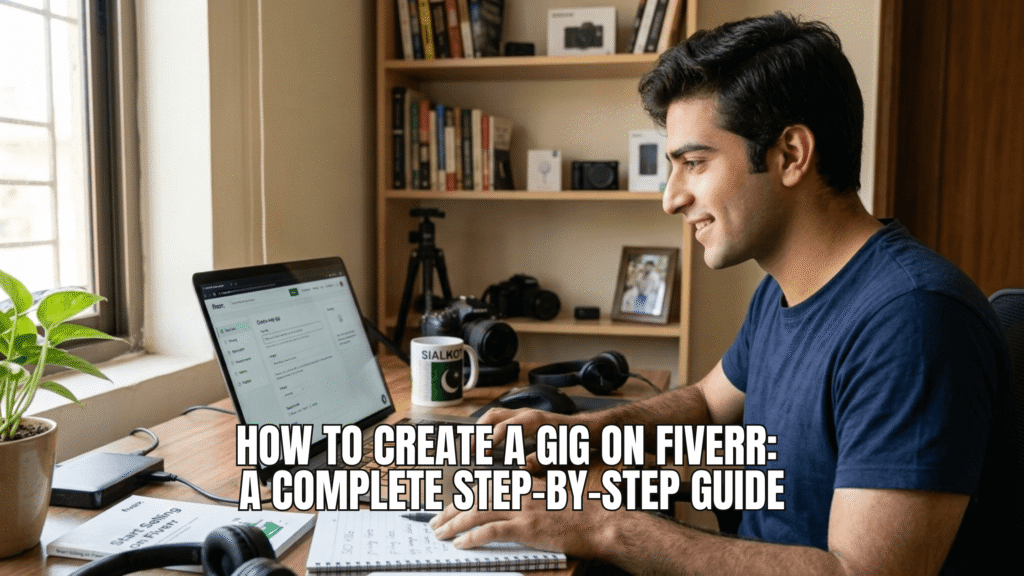
What Is a Fiverr Gig?
A gig is your service listing on Fiverr. Think of it like a product page on an online store. It has a title, a price, a description, images, and sometimes a video. Buyers search for services using keywords, and your gig shows up in the results if it matches what they typed.
You can create up to 7 gigs on a basic Fiverr account, which is more than enough when you are starting out. Most successful freelancers on Fiverr start with 1 to 3 focused gigs rather than spreading themselves thin.
Step 1: Pick a Service You Can Actually Deliver
Before you touch the gig creation form, decide what you are selling. Pick something you can do well today, not something you hope to learn next month. Buyers can tell the difference between a confident seller and someone who is guessing.
Common beginner-friendly services on Fiverr include:
- Logo design
- Data entry
- Voice over
- Content writing
- Social media management
- Basic video editing
- Virtual assistance
Pro Tip: Pick a niche instead of a broad category. “Logo design for coffee shops” will often beat a generic “I will design a logo” gig, because it speaks directly to a specific buyer.
Step 2: Go to Selling Dashboard and Start a New Gig
Log in to your Fiverr account, click on your profile picture, then select “Switch to Selling.” From your seller dashboard, click “Gigs” and then “Create a New Gig.”
Fiverr will walk you through several tabs: Overview, Pricing, Description & FAQ, Requirements, Gallery, and Publish. Let’s go through each one.
Step 3: Write a Gig Title That Includes Your Keyword
Your title should be clear, not clever. Buyers search using plain language, so your title needs to match how they think.
Good example: “I will design a minimalist logo for your small business”
Weak example: “I will make your brand shine”
Keep your title under 80 characters and lead with the actual service. Fiverr’s algorithm and your future buyers both reward clarity over creativity here.
Step 4: Choose the Right Category and Tags
Fiverr asks you to pick a category, subcategory, and service type. Take your time here. Picking the wrong category means your gig shows up in front of the wrong buyers, and that hurts your click rate from day one.
You also get to add search tags. Use 5 tags that describe your service in different ways. If you offer logo design, your tags might include “logo design,” “minimalist logo,” “brand identity,” “logo maker,” and “business logo.”
Step 5: Set Your Pricing Packages
Fiverr lets you offer up to 3 packages: Basic, Standard, and Premium. This is a smart structure because it gives buyers options instead of a single yes or no decision.
A simple pricing example for a logo design gig:
- Basic ($10): 1 logo concept, 2 revisions, JPG file
- Standard ($25): 2 logo concepts, 4 revisions, JPG and PNG files
- Premium ($50): 3 logo concepts, unlimited revisions, full source files
For Pakistani freelancers, remember that Fiverr pays out through Payoneer or your local bank account, so price in dollars but keep in mind the rupee value when you are setting your minimum acceptable rate.
Common Mistake: New sellers price too low, thinking it will bring more orders. In reality, extremely low prices often signal low quality to buyers and attract clients who expect endless free revisions. Price fairly, and raise your rates once you get reviews.
Step 6: Write Your Fiverr Gig Description
This is where most beginners lose potential buyers. Your gig description needs to answer three questions fast: what do you offer, why should they pick you, and what happens after they order.
Here is a simple structure that works well:
- Opening line: State exactly what you do in one sentence.
- What’s included: List the specific deliverables.
- Why choose you: Mention your experience, tools, or turnaround time.
- Process: Briefly explain how you work, step by step.
- Call to action: Invite them to message you before ordering if they have questions.
Example gig description opening:
“I design clean, modern logos for small businesses and startups. Over the past 2 years, I have completed more than 150 logo projects for clients across the US, UK, and Pakistan.”
Keep paragraphs short. Buyers skim on Fiverr, they do not read like they are reading a novel. Use bullet points wherever you can.
Pro Tip: Add a short FAQ section inside your description. Answer the 3 to 5 questions buyers always ask, like turnaround time, revision policy, and file formats. This reduces back and forth messages and builds trust before they even message you.
Step 7: Create Your Fiverr Gig Image
Your gig image is the first thing a buyer notices in search results, before they even read your title. A strong gig image can double your click-through rate compared to a plain or blurry one.
Here is what works for a Fiverr gig image:
- Use the required size. Fiverr recommends 1280 x 769 pixels for gig images.
- Show your work, not just text. If you design logos, show actual logo examples. If you write content, show a clean mockup of an article layout.
- Add readable text overlay. A short phrase like “Professional Logo Design” placed clearly on the image helps buyers understand your offer at a glance, even before opening the gig.
- Keep your brand consistent. Use similar fonts and colors across your gig images if you have more than one gig. It builds a recognizable, professional look.
- Avoid clutter. One clear message per image works better than five different claims squeezed into one design.
You can create gig images using free tools like Canva. Search for a “Fiverr gig image template” inside Canva and customize it with your own work samples.
Common Mistake: Uploading a stock photo with no connection to your actual service. Buyers want to see real proof of your skill, not a generic image that could belong to anyone’s gig.
You can upload up to 3 images and 1 video per gig. If possible, add a short video introducing yourself. Gigs with video tend to get more trust from buyers, since it shows there is a real person behind the profile.
Step 8: Set Your Requirements
This is where you ask buyers for information you need before starting the project. For a logo gig, you might ask for their business name, preferred colors, and any reference designs they like. Keep this section short. Long requirement forms scare away buyers before they even place an order.
Step 9: Review and Publish
Before you hit publish, read through everything one more time. Check for spelling mistakes, broken formatting, and pricing that actually matches what you described. A polished gig signals a professional seller.
Once published, your gig usually takes a few hours to show up in Fiverr’s search results. Don’t panic if you don’t get an order on day one. New gigs often need a few days of visibility before the algorithm understands where to rank them.
Final Thoughts
Creating a gig on Fiverr is not complicated once you break it into steps. Focus on a clear title, an honest and specific gig description, and a gig image that actually shows your work. These three pieces do most of the heavy lifting in turning a random visitor into a paying client.
Once your first gig is live, keep an eye on your impressions and clicks in your Fiverr analytics. If clicks are low, your gig image or title likely needs work. If clicks are high but orders are low, your description or pricing probably needs adjusting.
Frequently Asked Questions
It varies, but most new sellers see their first order within 1 to 4 weeks if their gig is well optimised and priced fairly. Promoting your gig outside Fiverr, such as on LinkedIn or relevant Facebook groups, can speed this up.
Yes. You can edit your title, description, pricing, images, and tags anytime from your Fiverr dashboard. Just avoid making major changes too often, since it can temporarily affect your gig’s ranking.
Fiverr recommends 1280 x 769 pixels for the main gig image. Keep the file size reasonable so it loads quickly for buyers browsing on mobile.
Start with 1 to 3 focused gigs. It is better to do a few things well than to spread your profile across too many unrelated services.