A few years ago, “using AI” as a freelancer meant asking ChatGPT to write your Fiverr gig description. That’s not the game anymore. Clients on Upwork and Fiverr now expect faster turnarounds, cleaner first drafts, and fewer excuses and the freelancers keeping up aren’t necessarily more talented. They’ve just built an AI stack that quietly does the boring 30% of the job for them.
For Pakistani freelancers earning in dollars, this matters even more. Every hour an AI tool saves you is an hour you can spend on a second client, a better proposal, or just not burning out. Here’s what’s actually worth paying for and what you can skip.
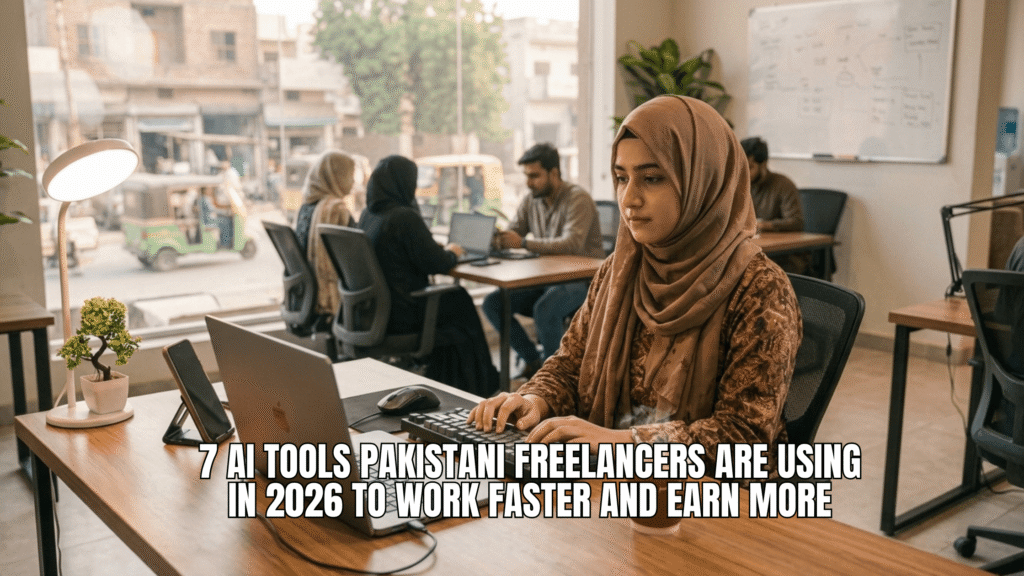
Why This Matters More If You’re Freelancing From Pakistan
Clients abroad aren’t comparing you only to other Pakistani freelancers. They’re comparing your delivery speed and polish to freelancers in the US, Philippines, and Eastern Europe, many of whom are already using AI tools as a baseline, not a bonus. Skipping this isn’t a moral stance; it’s a competitive disadvantage you don’t need.
The good news: most of these tools have generous free tiers, and even the paid ones cost less per month than a single small Fiverr order once you’re earning consistently.
1. A General-Purpose AI Assistant (ChatGPT or Claude)
This is your foundation tool, not optional. Use it for first drafts of proposals, client emails, brainstorming gig titles, summarizing long client briefs, and turning messy notes into structured deliverables.
Best for: Writers, virtual assistants, consultants, and basically anyone who communicates in writing with clients.
Cost reality: Free tiers cover a beginner’s needs. Paid plans run around $20/month, worth it once you’re handling multiple clients and long documents regularly.
2. An AI Research and Fact-Checking Tool
If your work involves writing anything client-facing, blog posts, reports, LinkedIn content. You need a way to verify facts and pull sourced information fast, rather than guessing or relying on outdated training knowledge. Tools built specifically for research with live citations save you the embarrassment of a client catching a wrong statistic.
Best for: Content writers, SEO writers, and researchers.
3. An AI Grammar and Tone Editor
Even strong English writers benefit from a second pass that catches tone mismatches, run-on sentences, and the small grammar slips that make a piece read as “translated” rather than natively written. This is especially useful when you’re writing for a US or UK client and want your copy to read naturally to them.
Best for: Any freelancer submitting written work including cover letters and proposals, not just paid deliverables.
4. An AI Design Tool
You don’t need to be a trained designer anymore to deliver clean social media graphics, thumbnails, or simple branding assets. AI-assisted design tools let you generate and adjust visuals from a text prompt, then refine them manually, cutting a 2-hour design task down to 20–30 minutes.
Best for: Social media managers, virtual assistants, and beginner designers building a portfolio fast.
5. An AI Video/Audio Editing Tool
Video editing used to require real technical skill. Now, tools exist that let you edit video by editing a transcript cut a sentence, and the matching clip is removed automatically. Some can also clean up background noise or remove filler words without manual timeline work.
Best for: Freelancers offering short-form video editing, podcast editing, or content repurposing services, a growing category on both Fiverr and Upwork.
6. An AI Project and Task Manager
Once you’re juggling more than two clients, your memory isn’t a system. AI-powered project tools can auto-organize tasks from messy notes, summarize project status, and even draft status update messages for clients which matters a lot when time zones mean you’re not always online when they check in.
Best for: Freelancers managing multiple ongoing clients or retainer work.
7. An AI Invoicing and Time-Tracking Tool
This one’s less exciting but saves real money. AI-assisted invoicing tools can track time automatically, flag scope creep by comparing hours against the original quote, and generate client-ready invoices without manual formatting every time.
Best for: Anyone billing hourly, especially on Upwork where accurate time tracking protects you in disputes.
How to Actually Build Your Stack (Without Overspending)
Don’t subscribe to all seven at once. Here’s a sensible order:
- Start with one general-purpose AI assistant, free tier is fine at first.
- Add a grammar/editing tool once you’re submitting regular written work to clients.
- Add a niche tool (design, video, or research) that matches your actual service, not a trendy one you saw on YouTube.
- Only add project management and invoicing tools once you’re consistently juggling 3+ clients before that, a simple spreadsheet works fine.
A realistic beginner stack costs $0–20/month. A freelancer earning $500+/month can comfortably justify $40–60/month across two or three tools once the ROI is obvious in saved hours.
FAQs
No using AI to draft, research, or edit your own work isn’t against platform rules. What gets accounts flagged is misrepresenting AI output as 100% human-made when a client specifically contracts for hand-crafted work or submitting unreviewed AI content as final delivery. Always review and personalize before sending.
Not usually, unless your contract specifically states human-only work (common in some writing and translation gigs). When in doubt, a quick disclosure builds trust rather than risking it.
A general-purpose assistant like ChatGPT or Claude. It covers the widest range of tasks and lets you figure out where you actually need a specialized tool before spending on one.
Yes, especially in your first few months. Most tools on this list have usable free tiers. Upgrade only when a paid feature is clearly saving you more in time than it costs in dollars.
AI tools won’t get you hired on their own your skill, communication, and reliability still do the heavy lifting. But used right, they’re the difference between finishing a client’s work in 3 hours instead of 6, which means more capacity, more clients, and more dollars landing in your account every month.